The Store — reusable content packs
The Store is a marketplace of ready-made building blocks — characters, locations, items, whole worlds, cultures, canon and plot templates — that you can drop straight into a project instead of writing them from scratch. Browse what Storyum and other authors have published, keep a private shelf of your own, and share your best work back.
What’s in the Store
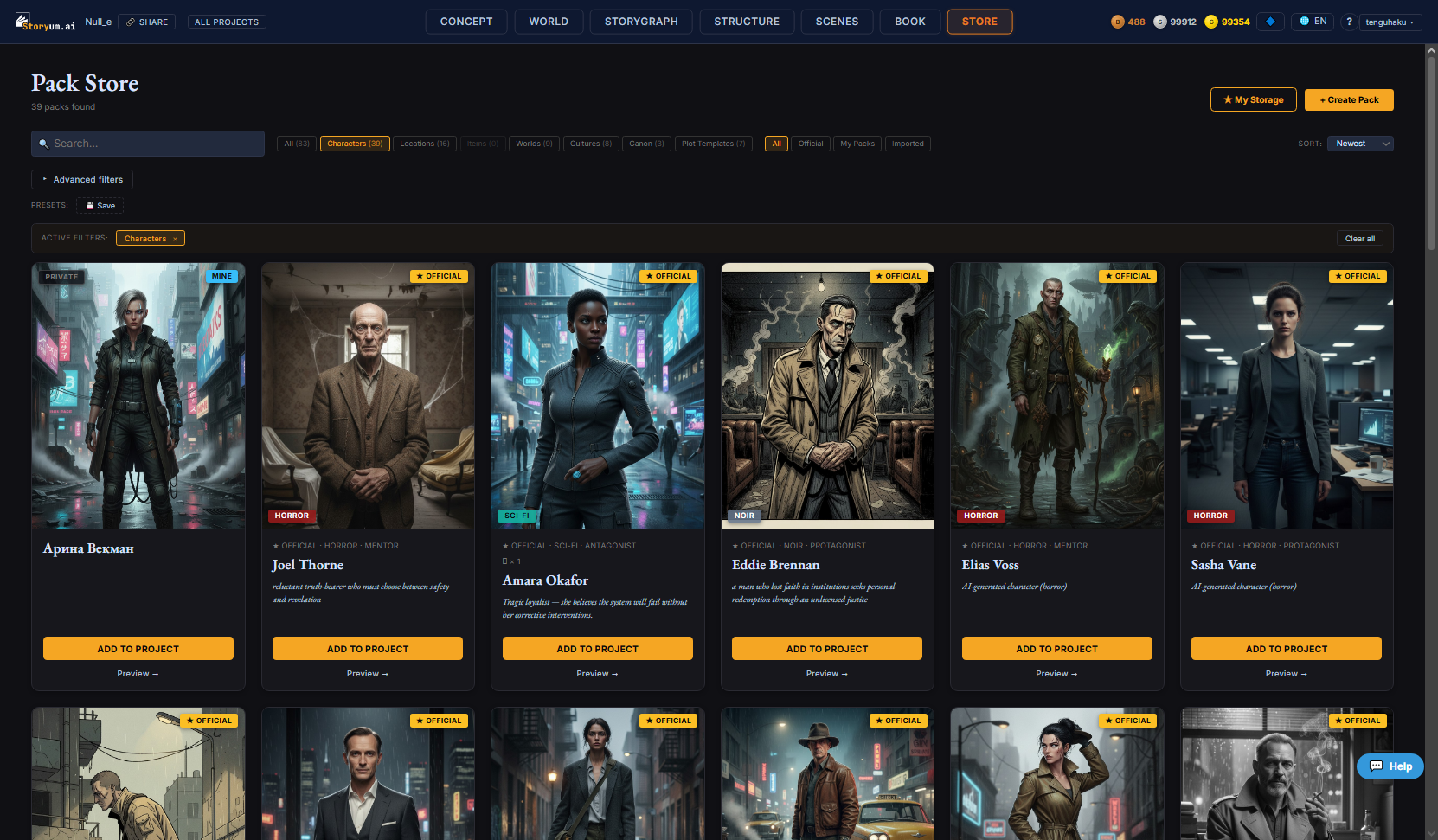
Every pack is one kind of building block. The category chips at the top of the grid split them by type:
- Characters — a ready-made character — appearance, voice, arc — that drops into your cast
- Locations — a place, fully described, for your world
- Items — a prop or artifact with its properties and story weight
- Worlds — a whole world setting — structure, factions, rules, history — in one pack
- Cultures — a culture — values, taboos, social order — to give a people texture
- Canon — a bundle of canon facts (your story’s rule layer) ready to enforce
- Plot Templates — a role-based plot structure that recomputes your own plot to its shape
Finding a pack
The landing view leads with a featured band and a few curated rows (newest official, characters, locations, worlds…) so there’s always somewhere to start. Once you know what you want, the controls above the grid narrow it down:
Whatever filters are active show up as removable chips in an Active filters bar, with a single Clear all to reset.
The pack card
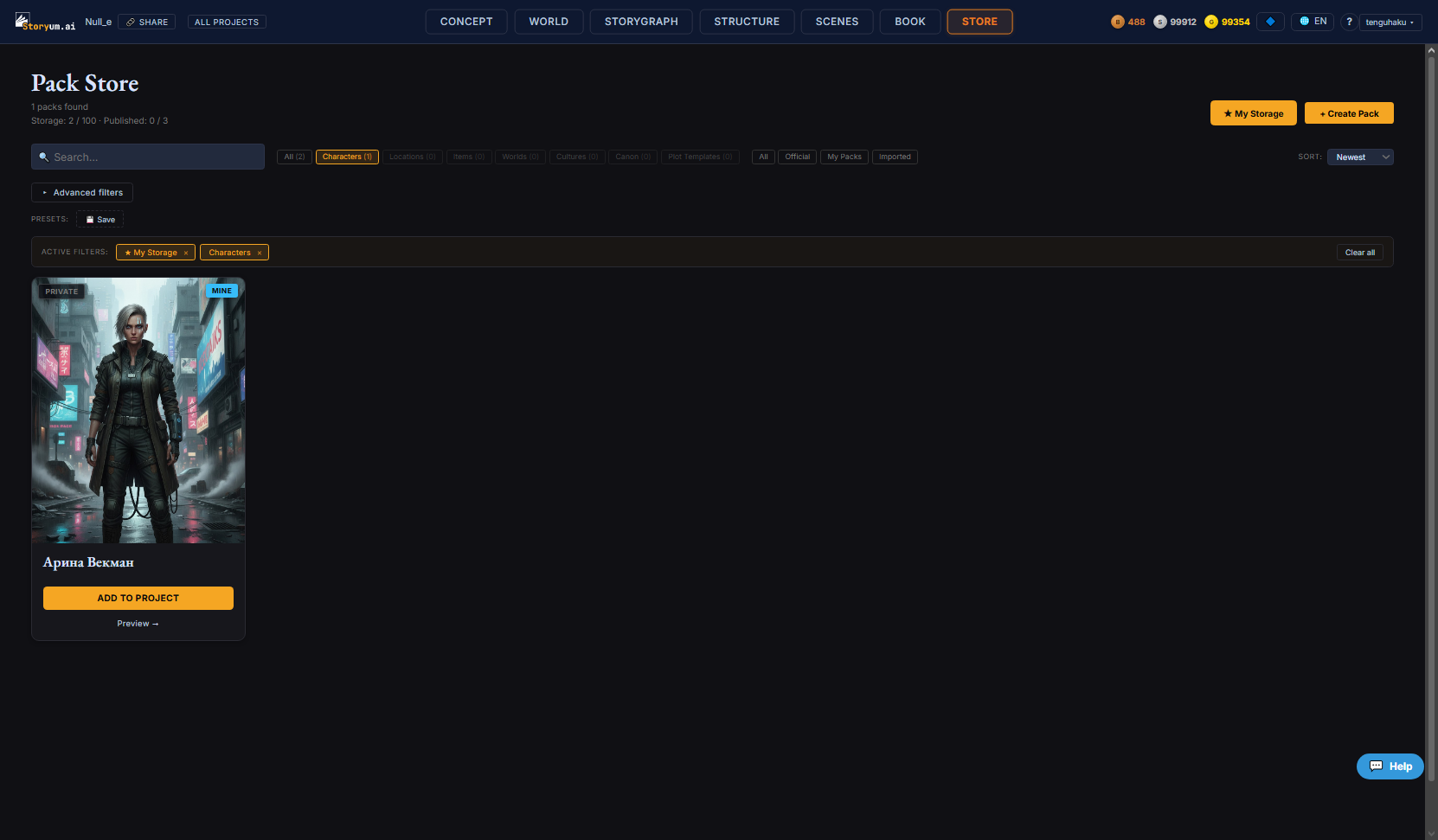
Each card shows the pack’s cover, its name and a short line, plus a badge that tells you where it came from — Official (Storyum), Mine (yours), or Private (saved to your shelf, not published). Add to Project brings it in; Preview opens the full detail view first.
Previewing a pack
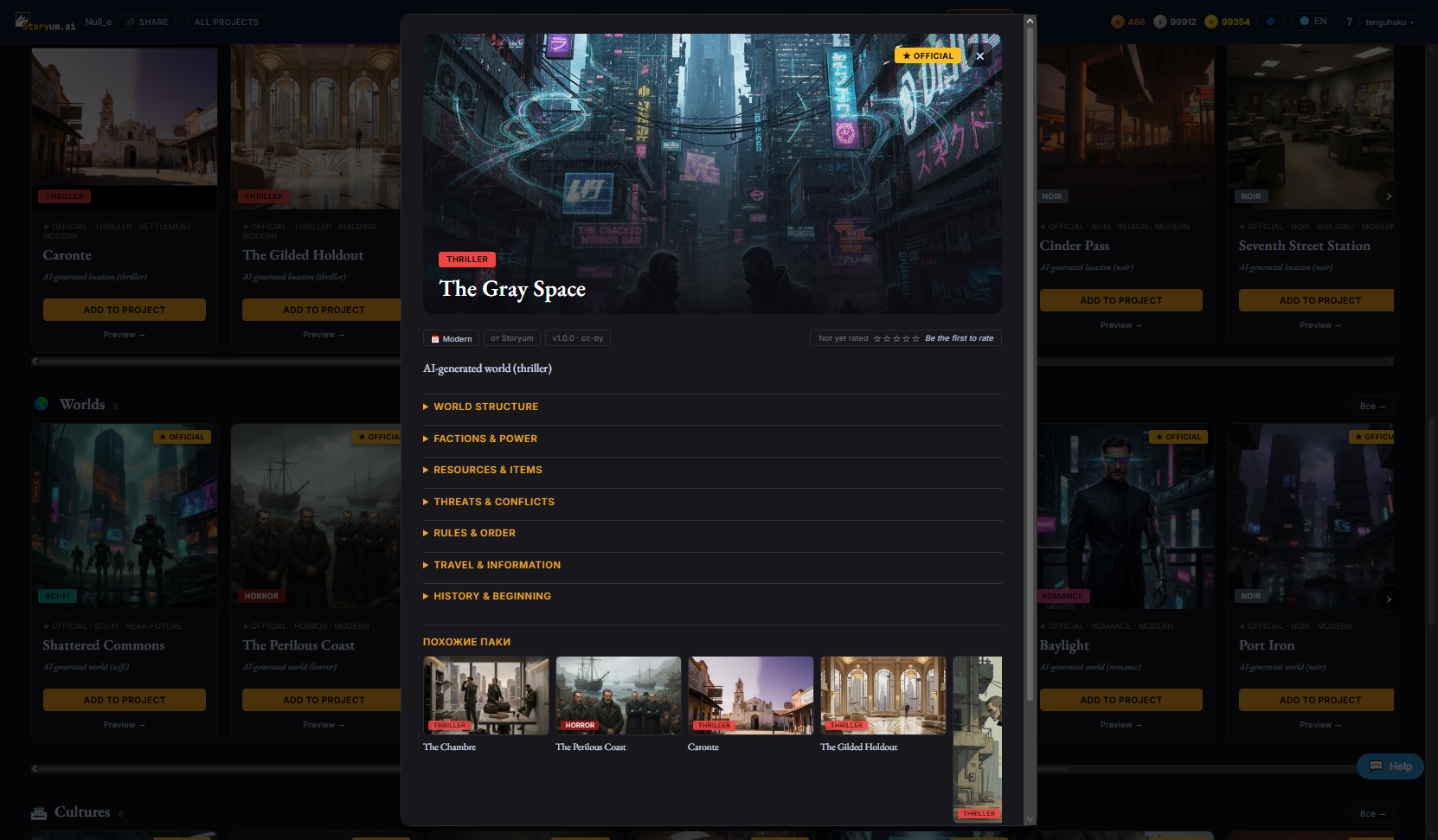
Preview opens the pack in full: the cover, its license (published packs are CC-BY 4.0 — free to reuse with credit), its version, a rating you can add to, and every field of content laid out in collapsible sections so you can see exactly what you’d be adding. A Similar packs rail at the foot points to related ones. From here you have three actions:
- Add to Project — the quick path — drops the pack’s content straight into your project as new entities
- Apply to Project — the controlled path — a short wizard: pick which sections to bring in, choose how they merge with what you already have, preview the exact changes, then apply
- Copy link — copies a shareable link to the pack
Using a pack while you build
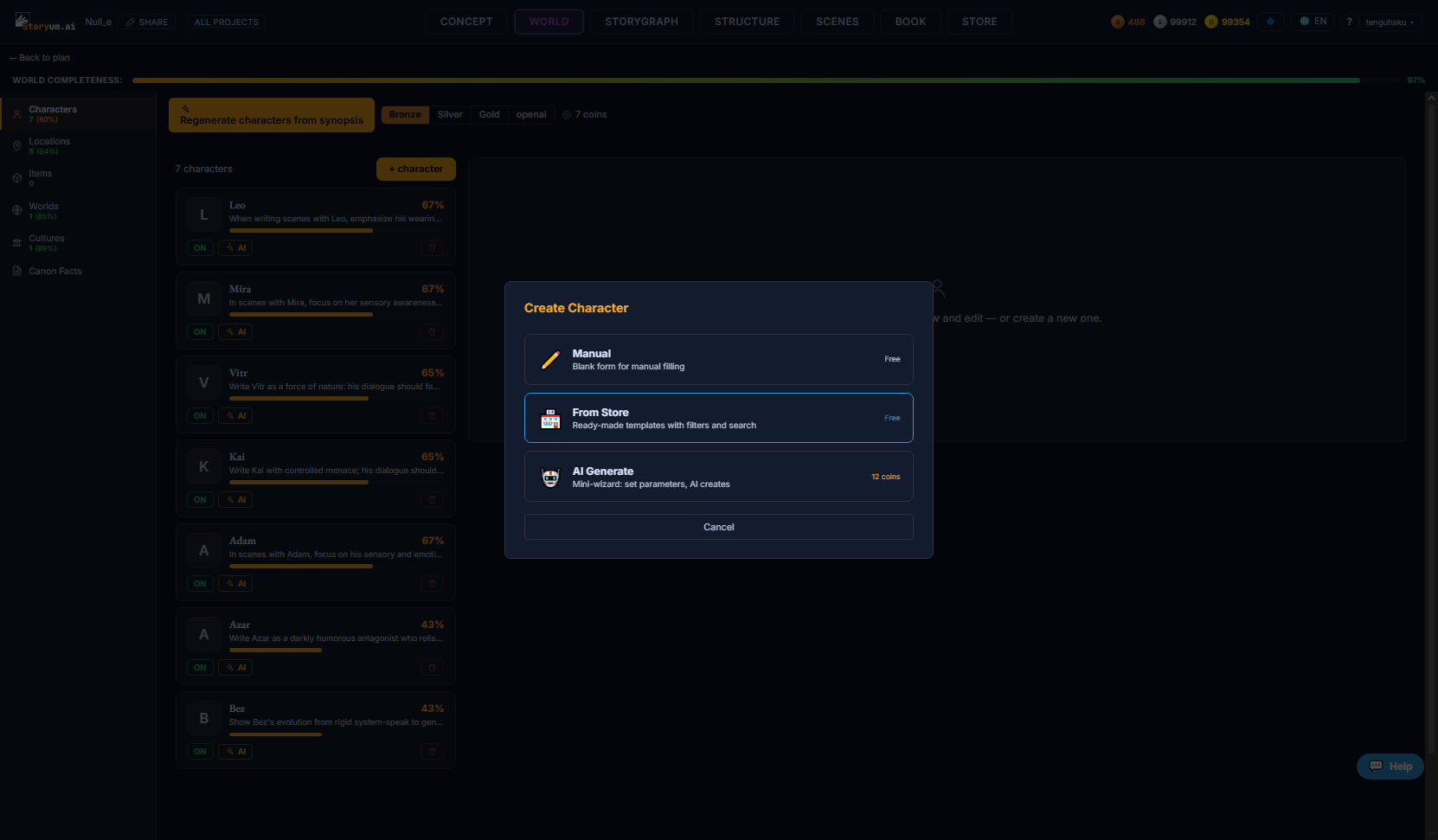
You don’t have to leave what you’re doing to reach the Store. Anywhere you add a character, location or item, the create menu offers From Store right beside Manual and AI Generate — it opens the Store in place, and picking a pack adds it and returns you to your work.
Sharing your own work
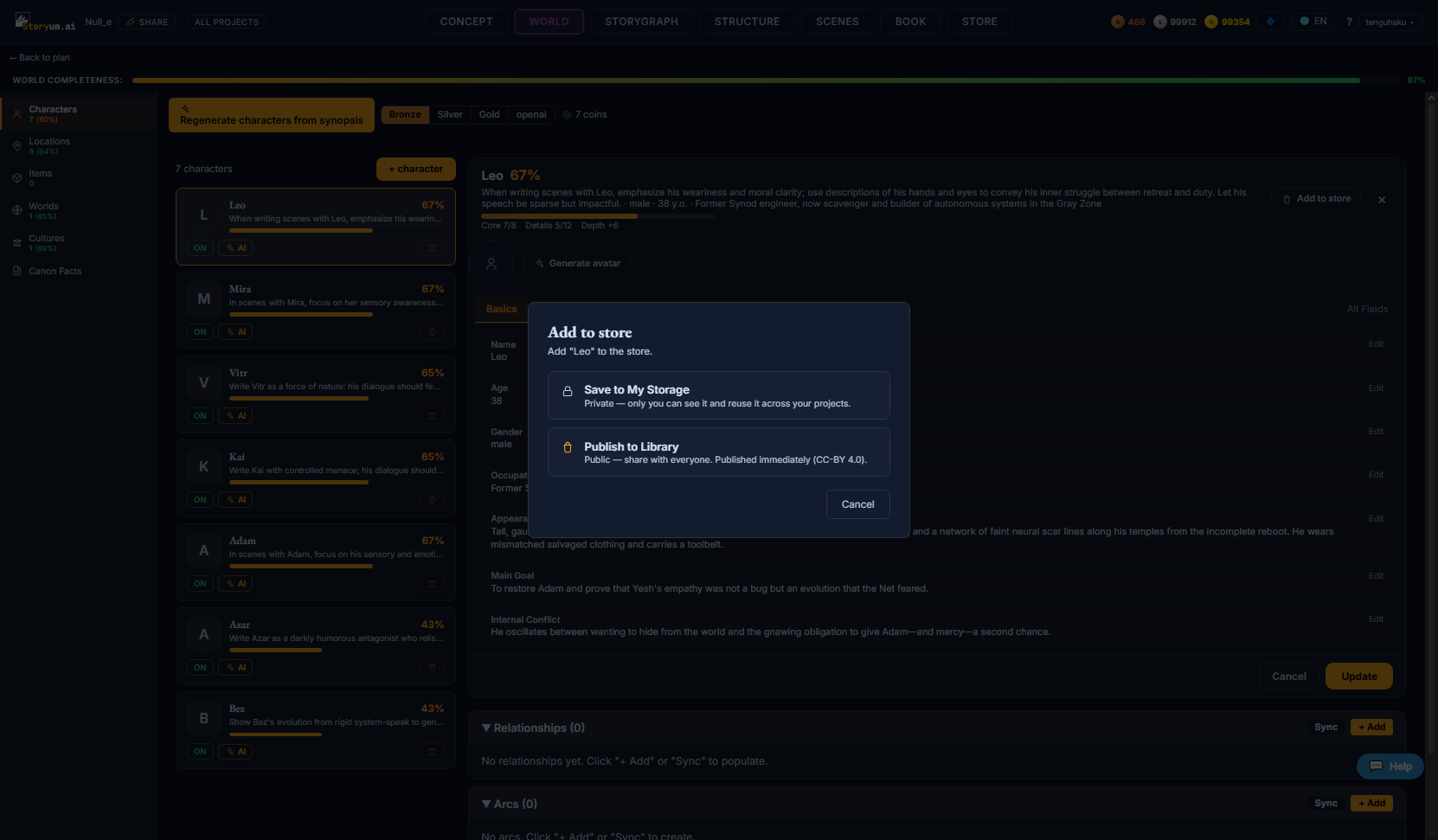
Any entity you’ve built can go into the Store from its editor’s Add to store button. You pick one of two destinations:
- Save to My Storage — private — only you can see it, and you can reuse it across your own projects. No requirements.
- Publish to Library — public — shared with everyone under CC-BY 4.0, published immediately. Because others will build on it, a few key fields must be filled first (the dialog lists exactly which).
Your own packs live under My Storage — the star button at the top of the Store. It shows both your private shelf and anything you’ve published, and a small counter tracks how much of your storage and publish allowance you’ve used (both scale with your plan). Create Pack builds a multi-entity pack directly.