StoryGraph · Operators
INVERT
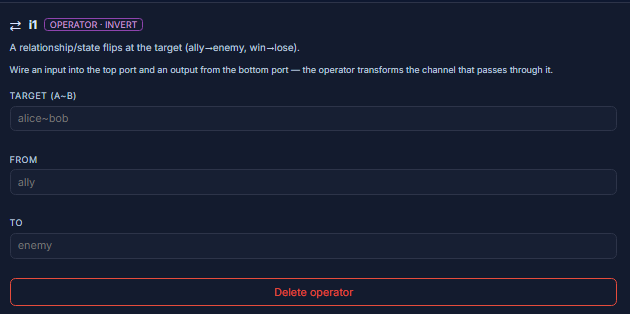
INVERT is the turn. It flips a relationship or state at the far end of the wire — an ally becomes an enemy, a win reads as a loss.

INVERTOperator
Flips a bond or state at the far end — an ally turned enemy, a win read as a loss.
INVERT reverses a relationship or state between the source and the target: the pair you name goes from one state to its opposite. It’s a hard flip — the moment a bond or fortune turns.
AffectsA relationship or state at the target — the moment it flips.
Wire itWire it into the beat where the flip happens; set the pair and the from→to states.
Parameters
Target (a~b)
target · textThe pair or state that flips.
AffectsIdentifies the bond being inverted.
Example
alice~bobFrom
from · textThe state before the flip.
AffectsThe starting side of the turn.
Example
allyTo
to · textThe state after the flip.
AffectsThe ending side of the turn.
Example
enemyUse-case variants
- Betrayal — an ally turns enemy
- Reversal of fortune — a win becomes a loss (or the reverse)
The reader has to believe the original state first — establish the bond before you invert it.
In the editor