
The Synopsis step
Step 2 of the setup wizard. This is where your book’s synopsis lives — the fuller, detailed plot. It arrives here already written if you expanded a seed in the Concept step, or you can paste or type your own. Alongside it you set the story’s main conflict, by hand or with one click.
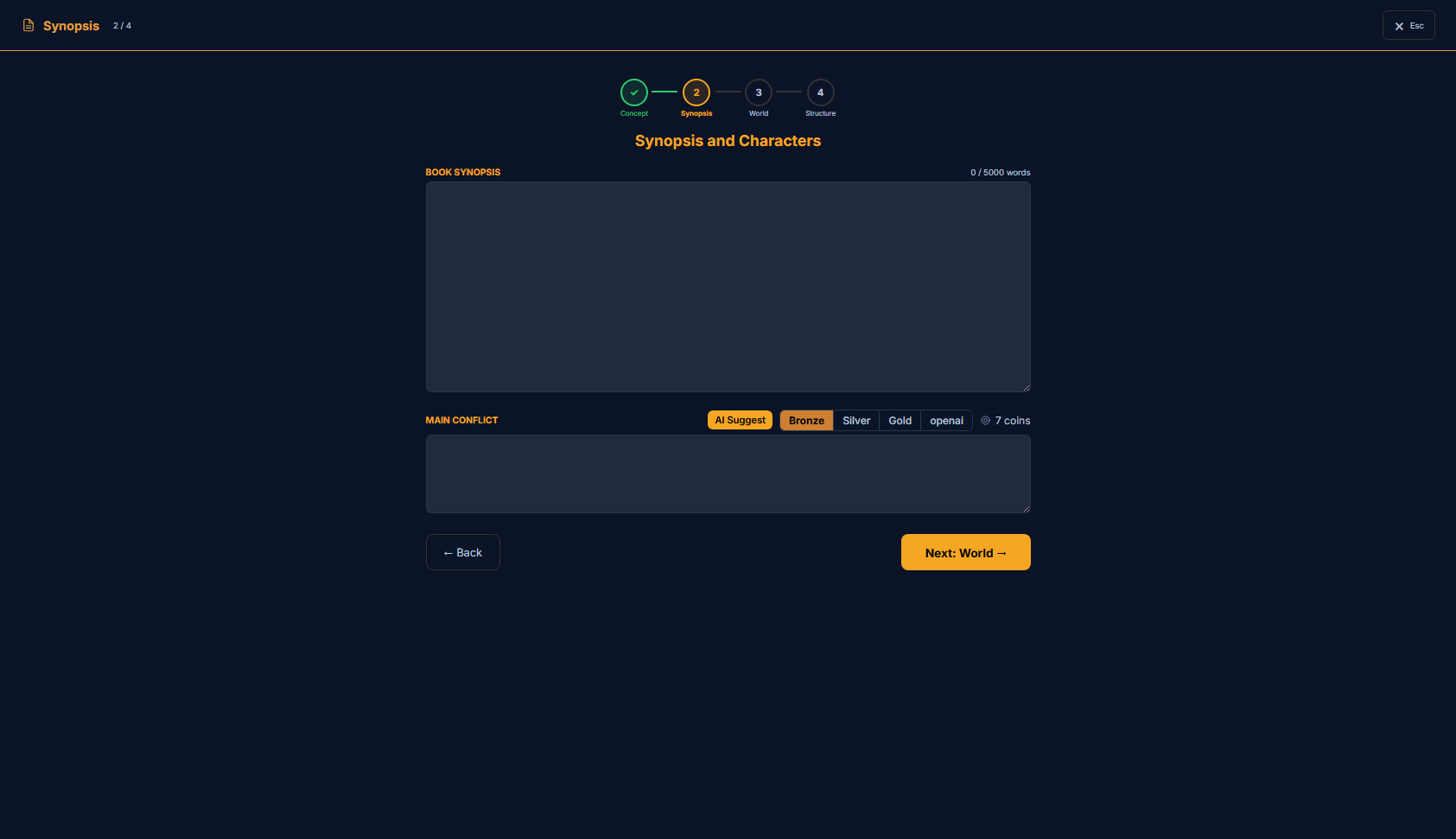
What’s on this page
- The wizard header — Synopsis is step 2 (Concept is now ticked).
- A “Book Synopsis” field — the detailed plot, up to 5000 words.
- A “Main Conflict” field with an “AI Suggest” button (a quality tier + coin cost) to draft it for you.
- Back, and “Next: World →” to move on.
How to use it
- 1Review the synopsis that came from your seed — or paste one you already have.
- 2Write the main conflict, or press “AI Suggest” to draft it from the synopsis.
- 3Press “Next: World →” to carry both forward and start building the world.
Where this fits
Synopsis is step 2, the middle rung of the plot ladder: more detailed than the seed, less hands-on than StoryGraph. If you pressed “Expand to Synopsis” in the Concept step, the result is already waiting here; if you skipped that, this is where you paste your own. Either way, what you leave here is the plot the world, structure and prose build on.
Book synopsis
synopsis · textareaMain conflict

main_conflict · textareaAI Suggest drafts the main conflict from your synopsis in one click. The pills beside it pick the quality tier (Bronze · Silver · Gold) and show the coin cost before you commit; with your own key connected (BYOK) it runs on your key at no coin cost. Edit whatever it proposes — it’s a starting point, not the final word.
“← Back” returns to the Concept seed; “Next: World →” saves the synopsis and conflict and moves you to the World step.