
Profile & your AI key
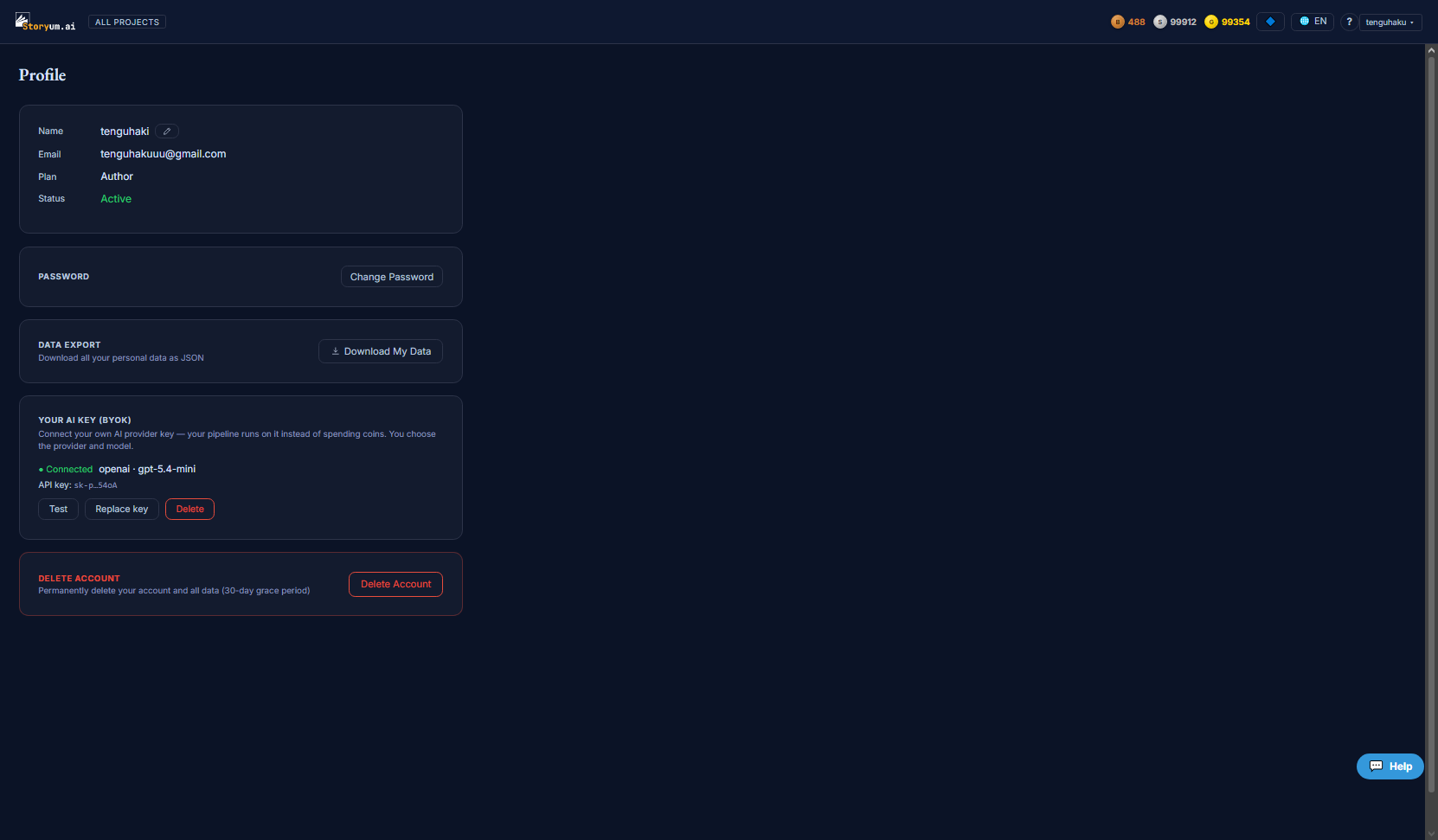
Profile is your account home: your name and email, your current plan, your password, a full export of your data, and — the part most people come here for — BYOK, where you connect your own AI key so the pipeline runs on it instead of spending coins.
Account details
The top card shows your Name (click the pencil to edit it), your Email, your current Plan, and your account Status. Change Password opens a short form (current password, new password, confirm).
Export your data
Download My Data gives you everything on your account as a single JSON file — your right to data portability. It’s a plain download, no waiting.
Your AI key — BYOK
BYOK (“bring your own key”) lets you connect your own AI provider account. When a key is connected, your pipeline runs on it and no coins are charged — you pay your provider directly and choose exactly which provider and model to use. It’s the option for heavy users and anyone who wants full control over the model behind the writing.
To connect a key you fill three fields:
- Provider — choose your own AI provider from the list of supported ones
- Model — name the model you want to run (optional — leave blank for the provider’s default)
- API key — paste your key; it’s stored encrypted and only ever shown masked afterwards
Once it’s connected, the card shows the provider, the model and your masked key, with three actions:
Deleting your account
Delete Account permanently removes your account and all its data after a 30-day grace period. To guard against accidents you confirm by typing your own email address. Within the grace window you can still change your mind.